What Autopilot prepares
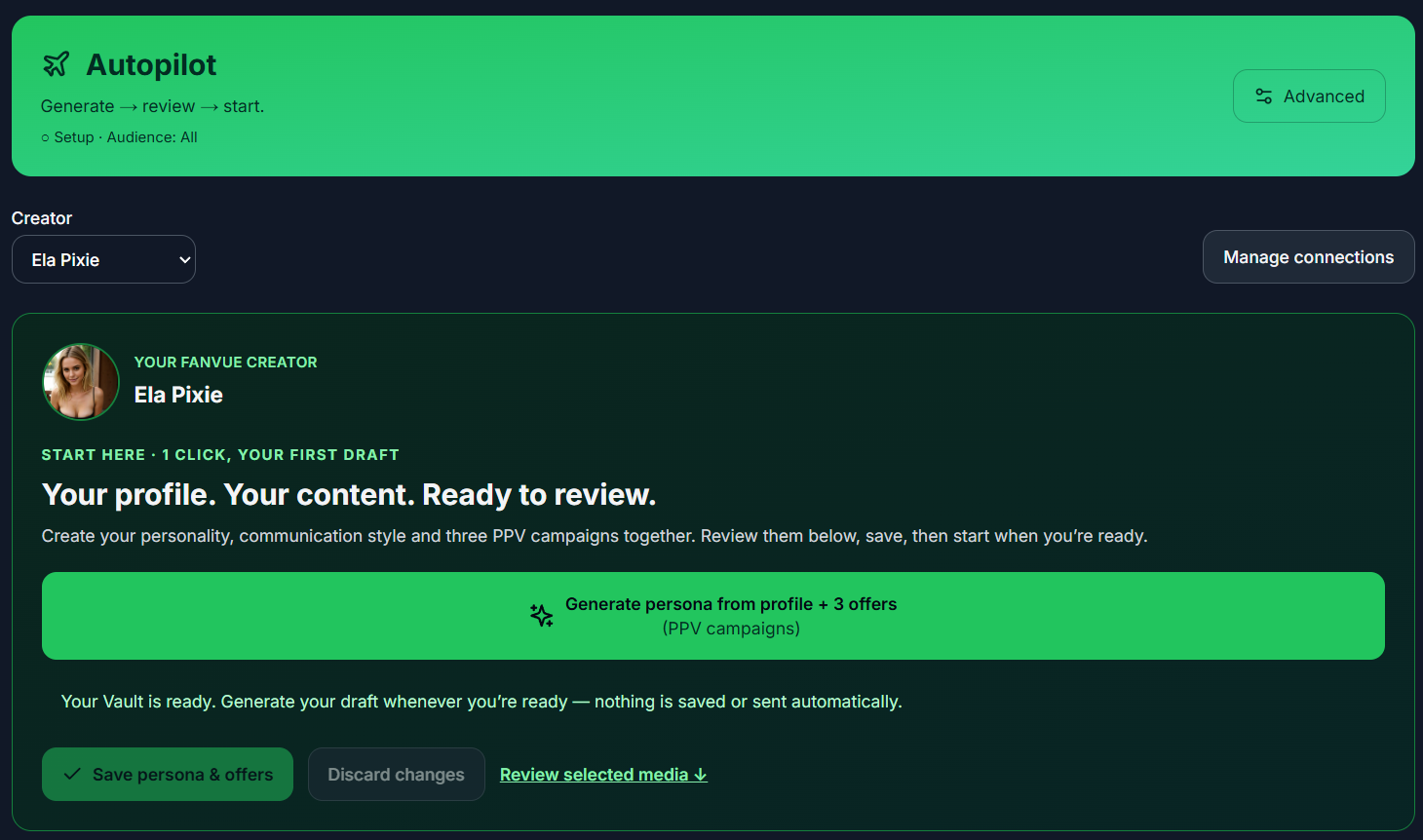
It can draft the creator persona and communication style, then propose 3 PPV campaigns using descriptions of ready Vault media. Review all suggestions, especially selected assets and prices. It does not generate new photos or videos for these bundles.
Existing media descriptions guide the proposal. Do not assume every asset has been visually checked just because a draft was generated.
The review before Start
- Select the correct creator and complete any required reconnect or Vault sync.
- Generate a draft, or edit the existing saved setup without regenerating it.
- Review persona facts, every paid asset, the description, price and optional free preview.
- Review the audience, Online Nudges, active campaign selection and readiness checks.
- Save the changes. Deliberately confirm and choose Start Autopilot only when the saved setup is ready.
Running, paused and saved are different states
The running status appears after the server confirms activation. Saving a draft does not turn on sending. A blocked Start does not count as an active setup.
Use Pause & edit when you need to change a live setup. Review and save changes before restarting. Check actual delivery and purchase results in the dashboard rather than treating a green configuration check as a completed outcome.
Keep Advanced when you need its workflow
Advanced remains available for detailed account controls, PPV and Scripts. Opening Autopilot does not silently replace a working Advanced persona or campaign.
Scripts are a separate Advanced workflow. If Advanced automation is already running, pause it deliberately before switching modes. Do not overwrite an established configuration just to try a new screen.
Draft and campaign limits
- Initial AI draft bundles contain 1–5 photos and videos combined.
- You may manually select up to 20 paid media items per offer.
- At most 3 campaigns are selected for live Autopilot; saved-campaign allowances depend on the plan.
- A usable connection, sufficient credits, saved content and readiness checks are required before activation.
Common questions
Does opening Autopilot start sending?
No. Drafting, saving and activation are separate steps. You must review and explicitly confirm Start Autopilot.
Can I keep my existing persona?
Yes. Review and edit the existing setup instead of regenerating it. Draft generation is not required every time you change an offer.
What should I do if Start is unavailable?
Read the readiness explanation. Check the selected account, connection, saved edits, reviewed media, campaign selection and credits. Resolve the stated issue instead of repeatedly retrying activation.
Guides and sources
Product/source review: . Check current plan and account settings before enabling automation.