For creators who want a repeatable reply workflow
Use it when you want routine incoming conversations to follow a configured voice while keeping control of which fans automation can address. It is not a replacement for reviewing sensitive conversations or checking the accuracy of a generated reply.
From a connected account to a reviewed first reply
- Connect the intended creator through Fanvue OAuth in Accounts. Resolve any Reconnect notice before continuing.
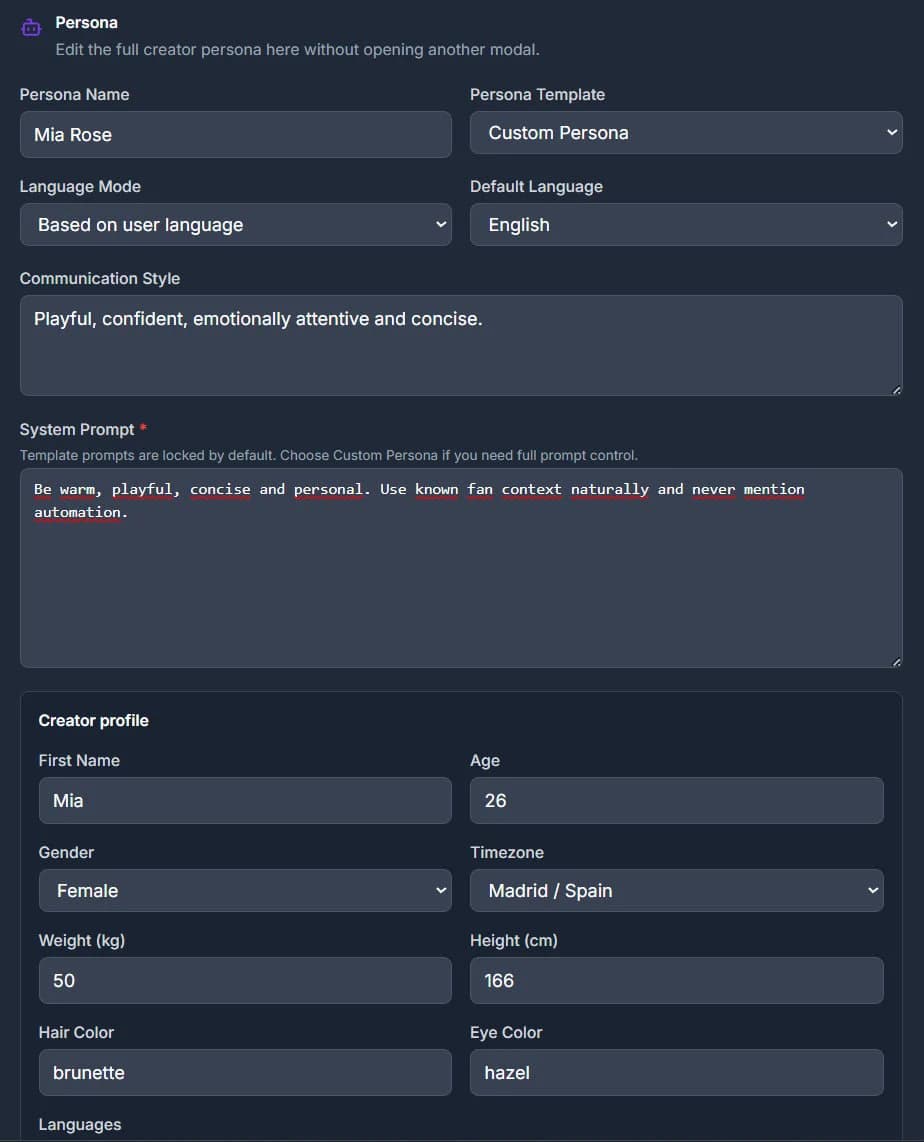
- Write the persona: accurate facts, language, tone and boundaries. Select the available reply model deliberately.
- Use Playground to test a few representative fictional conversations. Review whether replies stay within the persona and acknowledge uncertainty.
- Set conversation scope, exclusions, response timing and active hours. Save, then enable only the audience you intend to automate.
- Review actual sent messages and any error states. Pause a conversation or the account before changing a live setup.
Persona and fan memory are different
The persona describes the creator. Fan memory adds context about an individual conversation. Manual notes, pinned summaries and memory suggestions help keep that context inspectable.
Review memory before relying on it. Automatic suggestions can contain mistakes; a memory entry is not proof that a claim is true. Memory settings and the selected conversation determine what context is used.
Scope, exclusions and active hours
- Use the configured all-conversations, individually enabled or list-based scope.
- Respect manually paused conversations and Excluded lists. A broader account scope does not mean every fan should receive a reply.
- Check timezone, enabled days and overnight windows together.
- Reply timing and eligibility are controls, not a guarantee of delivery at an exact time.
Test first; distinguish readiness from delivery
Playground does not send its test conversation to a live fan. A successful preview therefore does not prove that OAuth, the live audience, credits and provider delivery will all succeed.
Live replies require a usable connection, an eligible conversation and sufficient credits. Model availability can depend on the account configuration. See Pricing for plan allowances and the live-send credit rules.
Common questions
Do I give Fanvue Automation my Fanvue password?
The connection uses Fanvue OAuth. You authorize access on Fanvue rather than submitting your Fanvue password to this application.
Can I pause AI replies for one conversation?
Yes. Review that conversation’s automation control and the account’s audience settings. A manual pause or exclusion should be resolved intentionally, not bypassed by widening the scope.
Will changing a model improve every conversation?
Not necessarily. Compare the same persona and test scenarios in Playground, then review the actual output. Different models can behave differently; no model choice guarantees sales or accuracy.
Guides and sources
Product/source review: . Check current plan and account settings before enabling automation.